Bag
Every pocket of your bag with icons and descriptions, favorite items, which Pokémon can use a TM, reusable TMs, and using an item from the bottom screen.
The bag tab shows everything you're carrying, pocket by pocket, as the game has it right now. It's handy for a quick count before a long cave, or for reading what an item does without digging through the game's menus.
The tab's name follows the game: BAG in most games, ITEM in Red, Blue and Yellow, PACK in Gold, Silver, Crystal, Crystal Clear and Prism, CUBE in Unbound, INVENTORY in R.O.W.E. and POCKETS in Super Mariomon. The HUD's bag uses the same name. The screen itself is drawn like that game's bag.
Pockets and sorting
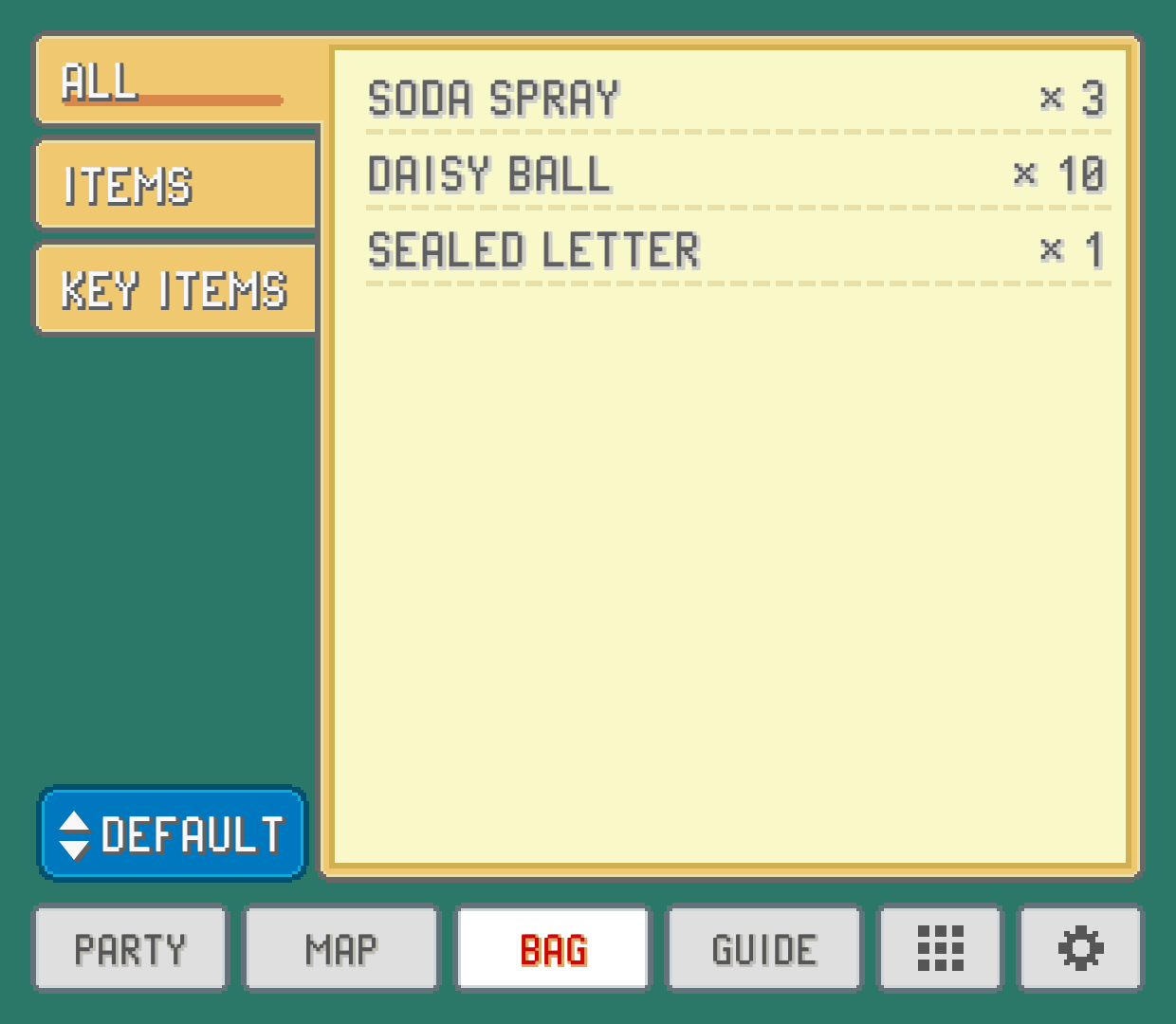
The pockets run down the left like folder tabs. ALL shows everything at once; the others are the game's own pockets (items, balls, TMs and HMs, berries, key items, and whatever extra pockets a hack adds). Only pockets with something in them get a tab.
Each row has the item's name and how many you have. TMs and HMs show the move they teach after their number, the way the game's TM case does. In Prism and Polished Crystal TMs never run out, so each one shows a count of 1. Polished Crystal's Medicine pocket shows with your items. Elite Redux keeps no counts at all (an item you have can be used again and again), so its rows show names only.
The button under the pockets changes the order. Each tap moves to the next: the game's own order, by name, by type, or by count (most first).
Item details
Tap an item to open its description at the bottom of the screen, with the item's icon. Tap another item to switch, or the same one to close it.
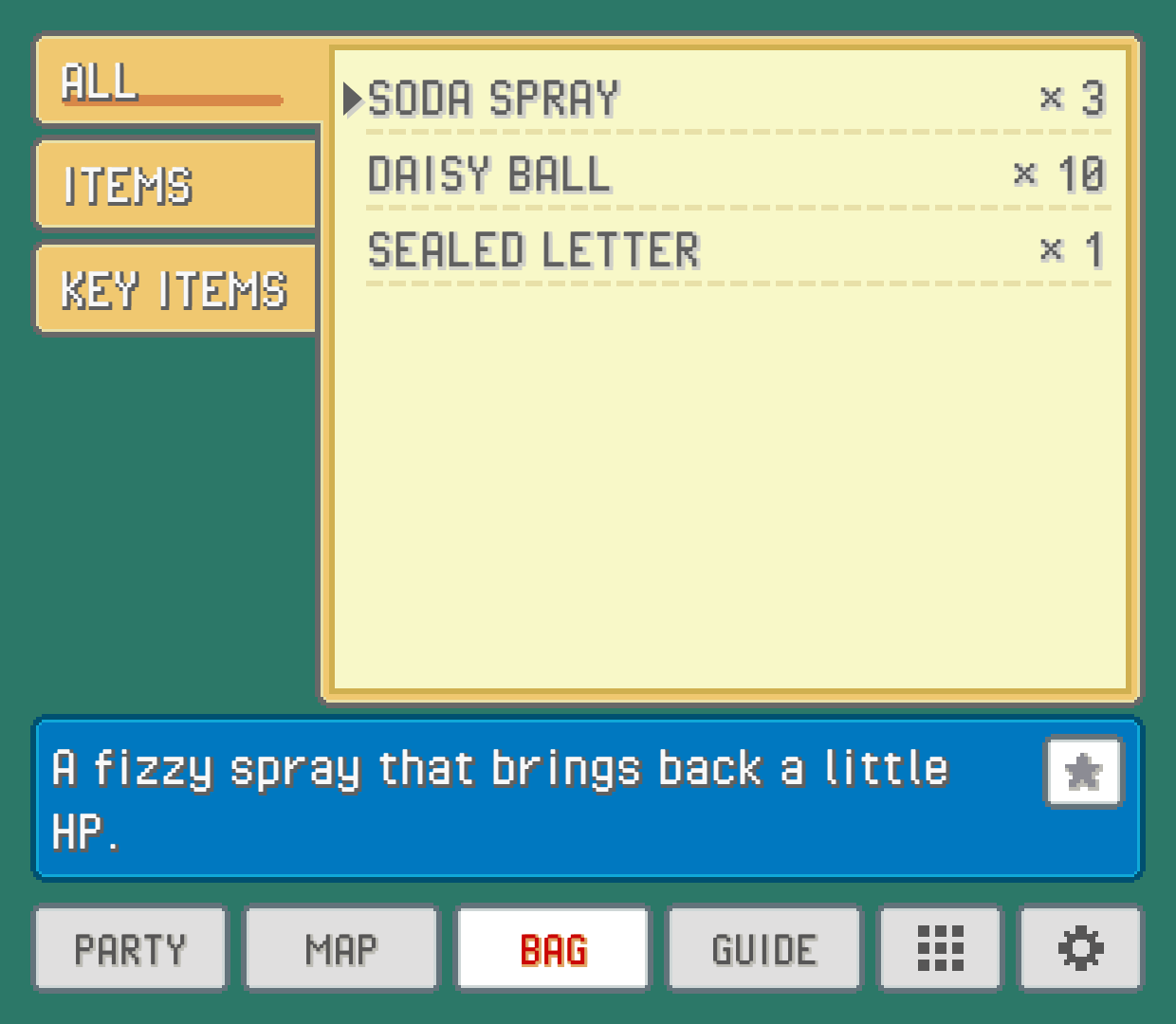
Descriptions are read from your own ROM, in your game's words and language. That means a hack's changed items describe themselves correctly. If an item has no text here, the game's description couldn't be found in that ROM. In Gold, Silver, Crystal, Crystal Clear, Prism and Polished Crystal a TM shows the description of the move it teaches, as those games' own TM pocket does.
Favorites
Some items you reach for all the time: your best healing item, the balls you throw most. Star them and they're always at hand.
Open an item's description and tap the star button in its bar (next to USE, where that shows). The item gets a gold star before its name and moves to the top of the bag's default order, ahead of everything else. Starred items keep the bag's own order among themselves, and the star shows whichever order you pick.
While you have at least one starred item in the bag, a FAVORITES tab appears under ALL, listing only those. Tap the star again to unstar an item. Unstar the last one and the tab goes away, taking you back to ALL.
Stars belong to the game you're playing: each ROM keeps its own set, so starring an item in one game doesn't touch your others.
TMs: who can learn it
Pick a TM or HM and the description box also shows your whole party, each Pokémon's icon tagged:
ABLE: it can learn this move.NOT ABLE: it can't.LEARNED: it already knows it.BEST: of the ones that can, the Pokémon it suits most.
Under the icons, a line names the best fit and, if its moves are full, which move it should forget for this one. The reasoning is the same as the LEARN page in a Pokémon's summary (see Party and summaries).
BEST and the forget suggestion follow BATTLE HINTS in SETTINGS: with hints off you still see who's ABLE, without the recommendation.
Reusable TMs
Normally a TM is gone once it teaches a move, so you think twice before using a rare one. Turn on REUSABLE TMS in the companion's SETTINGS, GAMEPLAY group, and a TM stays in your bag after it teaches a move, just like an HM. It's OFF until you turn it on.
Everything else about TMs works as the game has it: which Pokémon can learn one, forgetting a move to make room, selling one at a shop. The change applies at once, no restart needed, and turning it off makes TMs single use again.
Using an item from the companion
In many games you can use an item, or hand one to a Pokémon, without opening the game's bag. Rows you can do something with carry a small ball mark, and the line under the list says so. Open the item's description and its bar has the buttons that apply:
USEon an item that keeps wild Pokémon away uses it on the spot, as if you'd picked it from the game's bag: one leaves your bag, and the game counts the steps down as usual. If the last one is still working, it says so and nothing is used.USEon a healing item, a status cure, a vitamin or an item that restores PP asks which Pokémon, and for some PP items which move. The ones it wouldn't help are dimmed, just as the game would say it won't have any effect.GIVEhands the item to a Pokémon to hold. If it was already holding something, that item goes back to your bag.
To take a held item back, open the Pokémon's summary on the party tab and tap TAKE (see Party and summaries).
It only works while you're walking around. If a menu, a conversation or a battle is open, it tells you so (close the game's menus first). Items that need the game's own screens, like the ones that raise a level or make a Pokémon evolve, and letters, aren't offered here.
The PC from anywhere
In FireRed, LeafGreen, Emerald, Ruby and Sapphire, the bag tab has a PC button above the sort button (its small arrow means it opens the game's own screen, not a companion page). Tap it and the game's own PC opens right where you're standing, the same menu a PC in a Pokémon Center gives you: take Pokémon out, put them away and move them between boxes (and, outside Ruby and Sapphire, move their items). Back out of it as usual and you're on the field again.
It works in every language, and on hacks that kept those games' code: Glazed, Emerald Kaizo, Emerald Legacy, Gaia, Odyssey, Orange Islands, Ultra Violet, Ghost Grey and the CFRU hacks (Unbound, Radical Red, Amethyst, Sword and Shield Ultimate Plus). Heart and Soul, SoulGold, Lazarus and Emerald Imperium have the PC button too, but not the bag's USE, GIVE and TAKE yet. So do Red, Blue, Yellow (in every language) and Crystal on the Game Boy: the PC there is the whole one from their Pokémon Centers, with its other choices too, like the PC that stores your items.
Like USE, it only works while you're walking around: with a menu, a conversation or a battle open, it says so instead.
Something wrong or missing here? Edit this page on GitHub or tell us.