RetroAchievements
Earn RetroAchievements while you play, see the game's set and leaderboards on the companion, and why it's softcore only.
RetroAchievements is a free community site that adds achievements to old games: "beat the first gym without a healing item", "catch every Pokémon on this route" and so on. PokeDaisy has it built in. Sign in once, and achievements unlock as you play, pop up on the companion and count towards your account on the site, like they would in RetroArch.
It's optional: achievements only run once you sign in.
Signing in
You need a free account from retroachievements.org. Then:
In the library, open Settings (the top screen's).
Under
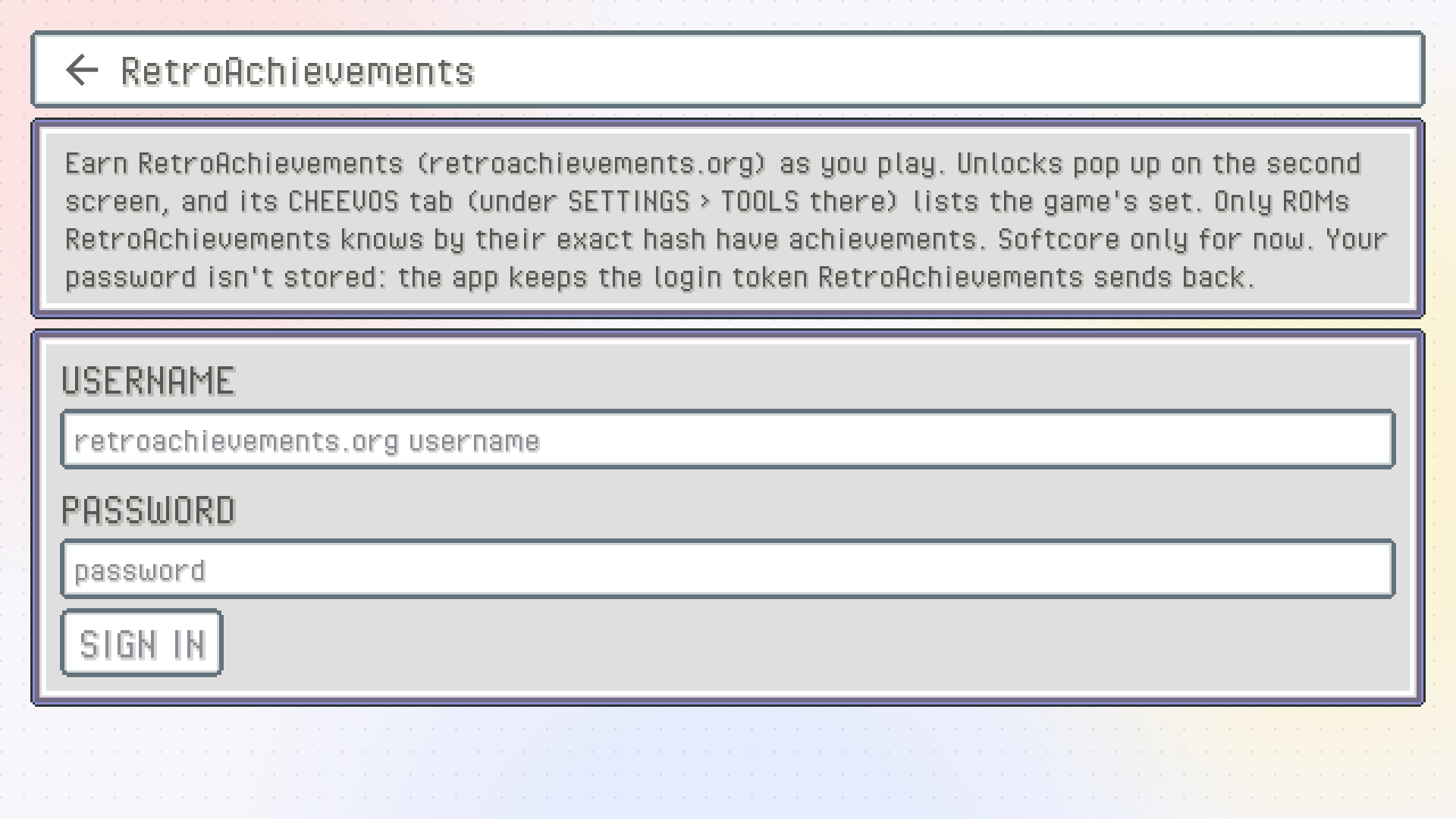
ONLINE, tapRetroAchievements(it's markedBETA).Type your username and password and tap
SIGN IN.
Once you're in, the page shows your name and your points, with SIGN OUT to leave. Your password is never stored: it goes to RetroAchievements once, and the app keeps only the login token the site sends back.
You sign in on the top screen because typing needs a keyboard, and the bottom screen can't show one well.
Which games have achievements
RetroAchievements recognises a ROM by its exact contents, so only ROMs it knows have achievements. The retail games (FireRed, Emerald and the others) have sets, as do some popular hacks like Unbound. A patched or rebuilt ROM usually doesn't, even if it's based on a game that does.
This works with any game, not only the ones the companion supports, and with Game Boy games too.
To check a game before playing it, long-press it in the library and open INFO. Its RetroAchievements section says whether there's a set for that exact ROM and, when you're signed in, how many achievements you've unlocked in it. See Library.
Softcore only
RetroAchievements has two modes. Hardcore earns hardcore points and counts for the site's rankings, but bans save states, rewind, cheats, slow motion and anything that plays the game for you. Softcore allows all of that.
PokeDaisy plays in softcore, for two reasons:
RetroAchievements only accepts hardcore unlocks from emulators it has checked and approved, and that takes time for a new app. Until then, the site counts hardcore unlocks from PokeDaisy as softcore anyway.
Hardcore would have to switch off things PokeDaisy is built around: loading save states (including picking up where you left off when you open a game), rewind, and the companion's battle buttons, which press the game's buttons for you.
Your softcore achievements and points are real and show on your profile. They're listed separately from hardcore ones.
The ACHIEVEMENTS tab
The companion has a tab with the game's whole set. Its chip says CHEEVOS (the full word doesn't fit). It isn't in the tab bar by default: tap MORE (left of the gear) and then CHEEVOS, or add it to the bar in SETTINGS > TAB BAR (see The companion).
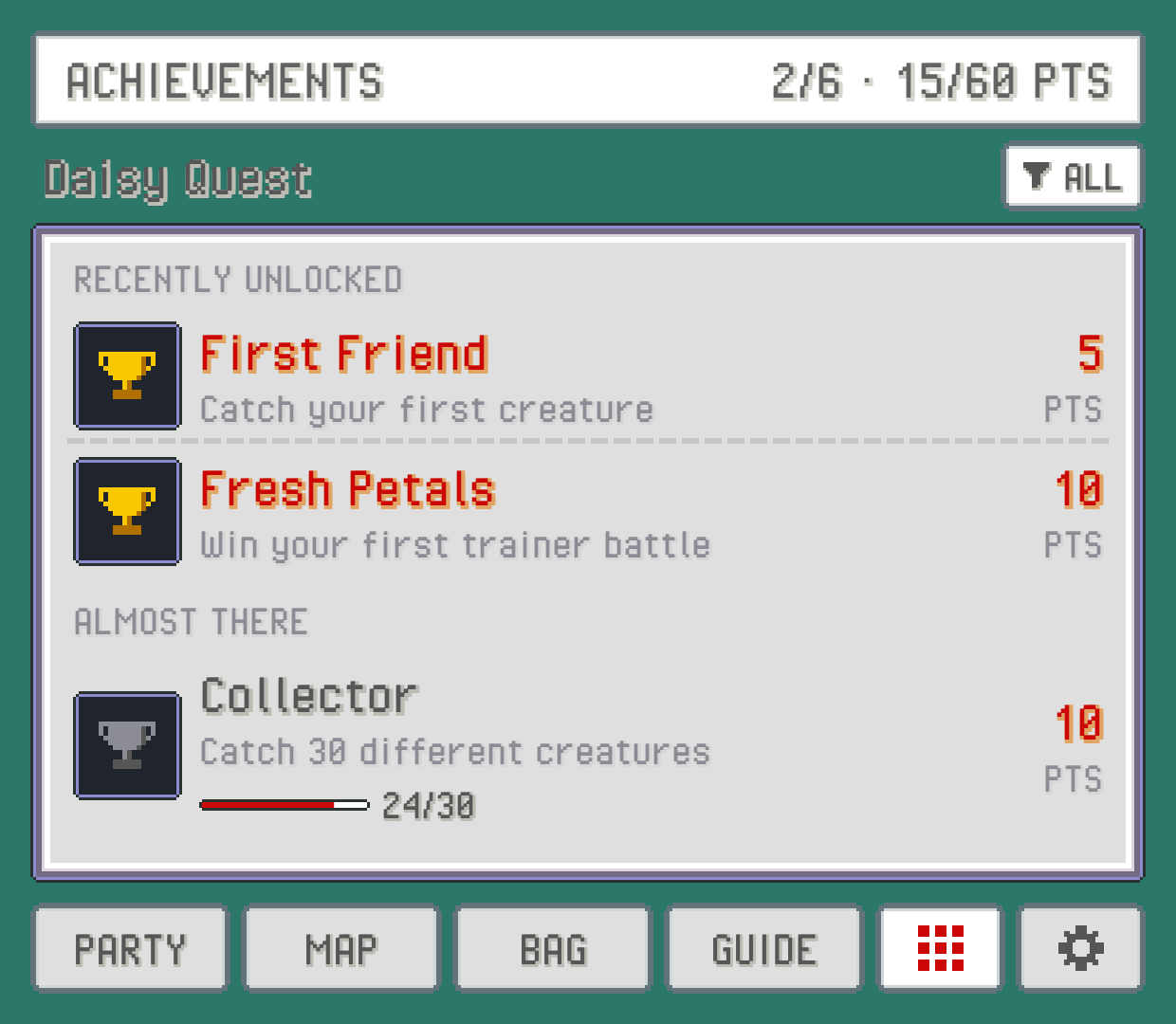
The title shows how many you've unlocked and your points out of the total. The list is grouped the way RetroAchievements groups it, so things like recently unlocked ones and ones you're close to come first. Each achievement has its badge (greyed out while locked), what to do and how many points it's worth. One that counts towards a number (catch 10, win 5 battles) shows how far along you are, with a bar.
The funnel button opens a filter: SHOW ALL, LOCKED ONLY or UNLOCKED ONLY.
If the tab says NO ACHIEVEMENTS FOR THIS ROM, RetroAchievements doesn't know this exact file. It shows the ROM's hash, which you can look up on the site.
Popups
Achievement news pops up at the top of the companion, over whatever tab you're on:
ACHIEVEMENT UNLOCKED, with its badge and points, and the level-up fanfare from the games plays.GAME COMPLETEwhen you've unlocked every achievement in the set.How many you've unlocked so far, when a game starts.
PROGRESSwhen you get closer to one that counts something.LEADERBOARDwhen a leaderboard attempt starts or ends.Connection notices, when the site can't be reached.
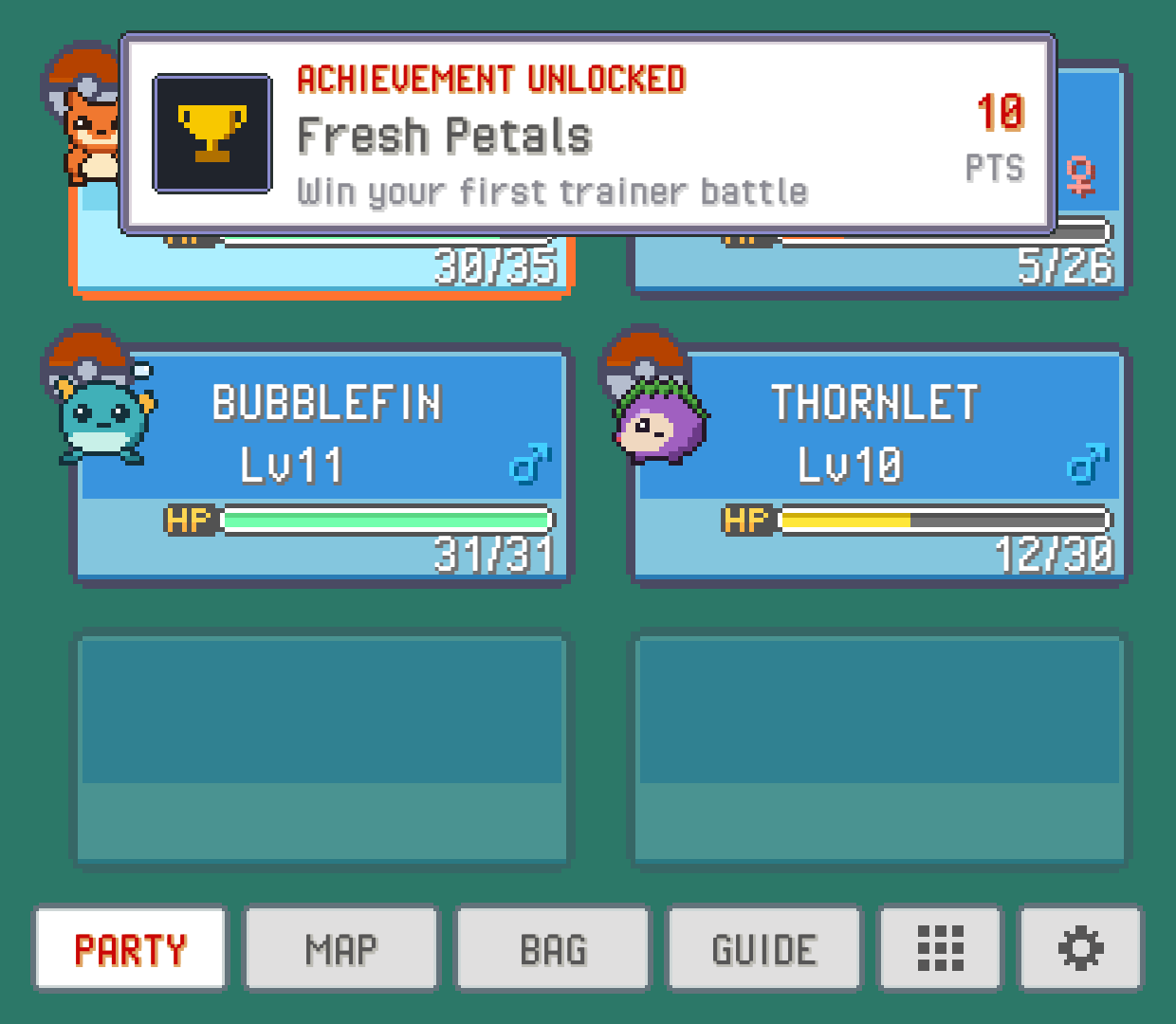
Tap an unlock or progress popup to open the ACHIEVEMENTS tab right on that achievement, highlighted. Press BACK and you're returned to the tab you were on.
Leaderboards and challenges
Some sets have leaderboards (fastest time, highest score). When the game has any, a LEADERBOARDS button appears on the ACHIEVEMENTS tab. Tap a board to see the top 10 and the players around your own entry, with your row highlighted.
While a leaderboard attempt is running, its current value (a timer, a count) shows in the bottom-right corner of the companion. Some achievements are challenges you have to finish without breaking a rule; while one is active, its badge sits in that corner too, so you know it's still on.
Save states and achievement progress
Every save state keeps your achievement progress with it. Load a state and the progress goes back to how it was when you made that state, so achievements that count things stay in step with the game. See Saves for save states.
Cheats pause achievements
While any cheat is loaded, achievements are paused: nothing can unlock, and the ACHIEVEMENTS tab shows PAUSED: CHEATS ON. A popup tells you when cheats go on or off. Turn every cheat off and achievements pick up again. See Cheats.
When the site can't be reached
If you're offline when a game starts, you stay signed in. The app keeps trying again by itself (more and more slowly, up to every few minutes), and the companion's tab says it can't reach RetroAchievements. Tap TRY AGAIN on the tab or in Settings to try right away.
Something wrong or missing here? Edit this page on GitHub or tell us.